
- 01Check calls and booking lists
- 02Relay requests in messages
- 03Find customer notes again
- 04Reconcile payments at closeout
Currently in beta · salons, karaoke & room rentals
From booking to closeout, one operating flow.
Stop splitting bookings, messages, customer notes and sales records across different tools. FLOVI connects booking → floor operations → customer management → closeout.
Customer pages: Korean · English · Japanese · Simplified ChineseStaff app: Korean only for nowSalons · karaoke · room rentals
FLOVI FOR YOUR WORKFLOW
Which business do you run?
Beauty and room-based operations are different. Choose your workflow and review the current beta scope.
Inside the store today
Does the work after booking break across too many tools?
Calls, calendars, messages, notes and spreadsheets make staff re-check and re-enter the same information.
- 01Booking
- 02Floor work
- 03Customer record
- 04Sales & closeout
One record continues into the next job.
Store operations
Booking → floor operations → repeat visits → closeout
Each step continues into the next instead of becoming another disconnected tool.
Bookings
Create, change, cancel, check in and review schedules in one place.
Floor operations
See the bookings, orders, treatments and room states that need action now.
Repeat visits
Keep visits, no-shows, prepaid packages and payment history connected by customer.
Sales & closeout
Review recorded payments, refunds and receivables together at end-of-day closeout.
Real product
Switch between real FLOVI workflows for your business.
Compare current Beauty, Space/Karaoke and international-customer workflows without a screenshot collage.
Beauty
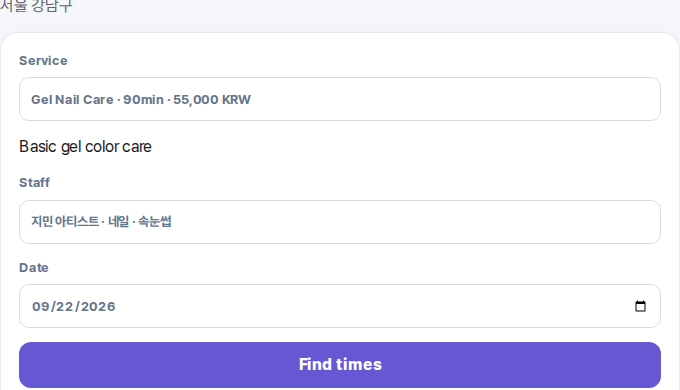
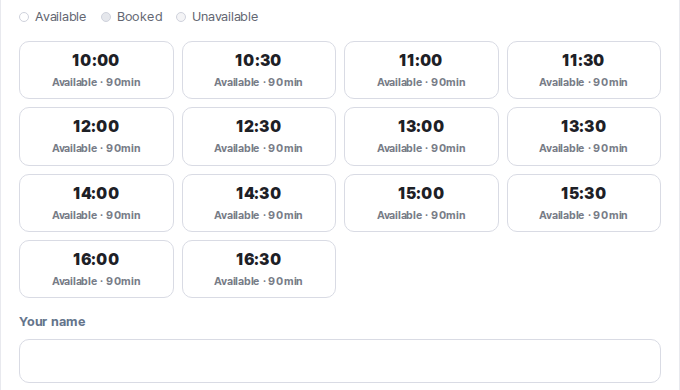
Availability by service and provider
Customers see the real times available for the selected service and provider.
Space / Karaoke
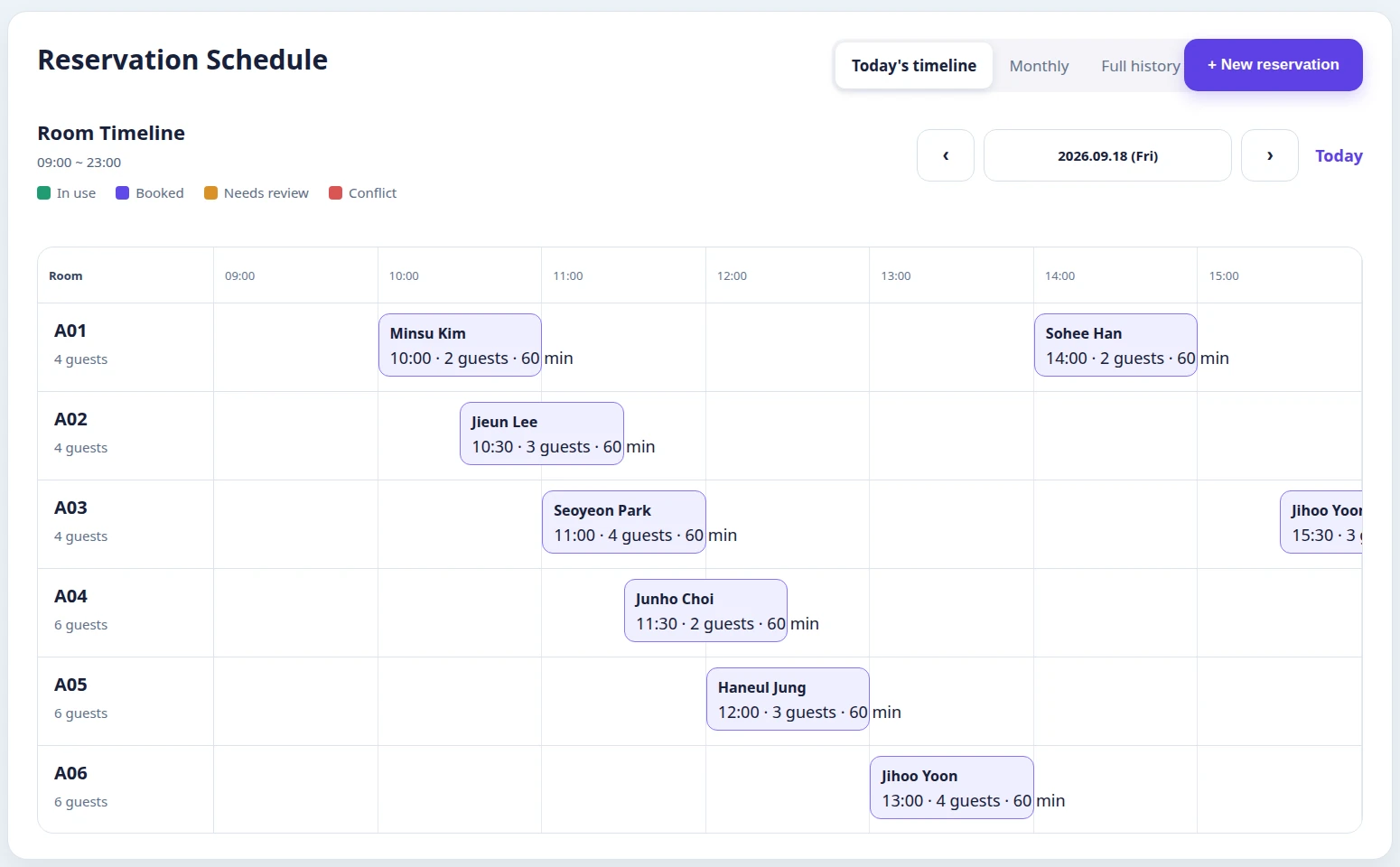
Room bookings with live floor state
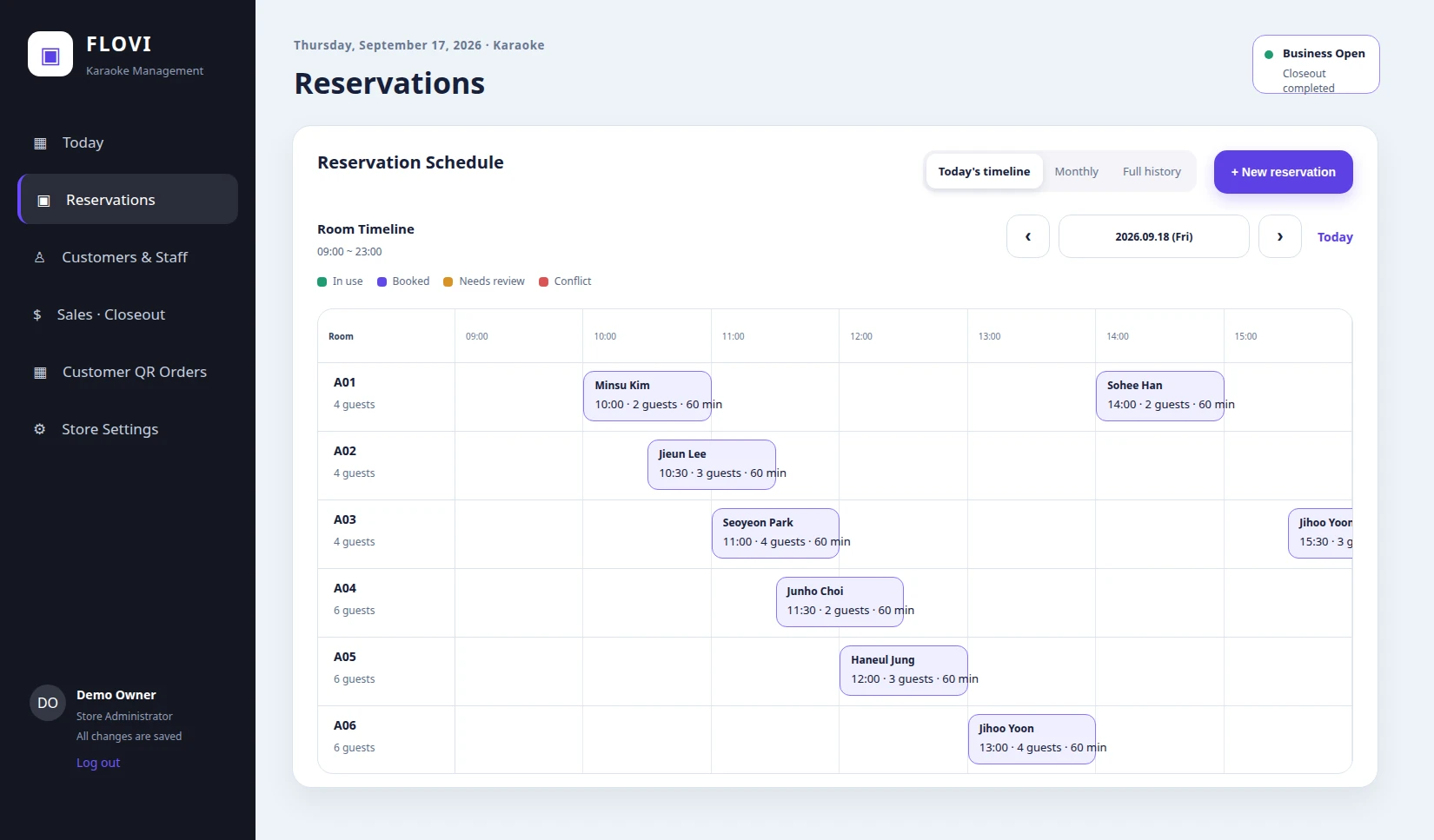
The staff view keeps room bookings and live status on one timeline.
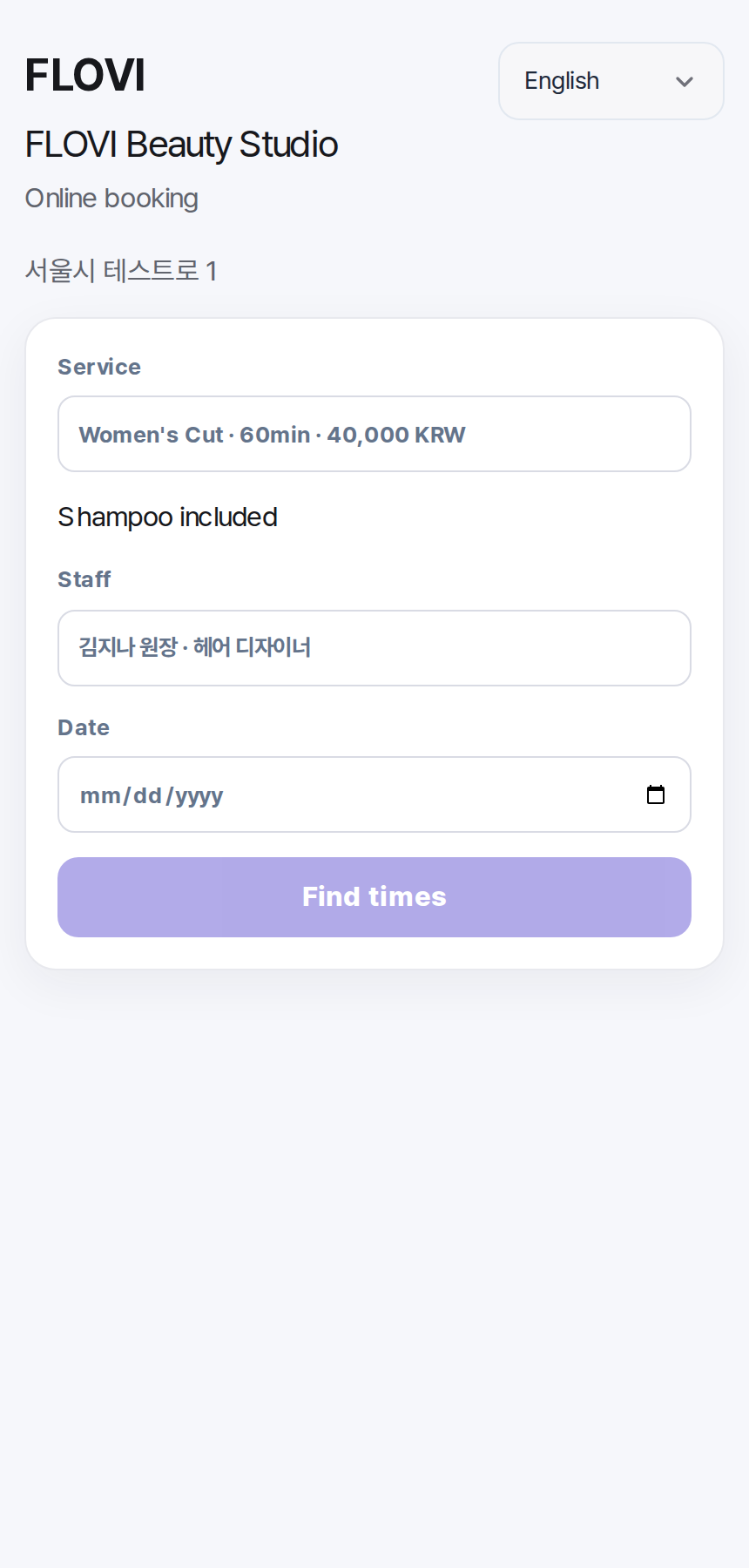
International
Multilingual customer booking
International customers can start a request without a Korean phone number.
Store settings · Multi-store
More than booking — configure how each store actually operates.
Set business hours, booking rules, services, pricing, staff and resources for each location, then switch between multiple stores from one account.
Hours & booking rules
Business days, holidays, booking policies, no-show handling and staff follow-up rules
Services, pricing & resources
Services, products, pricing, discounts, rooms, beds, chairs and equipment
Staff & access
Staff accounts, roles, working hours, service capability and access control
Small multi-store operations
Add and switch stores while keeping bookings, pricing, staff and operating data separated by location
International customers
Korean customers or international guests. One booking and customer flow.
Customer pages support Korean, English, Japanese and Simplified Chinese. International booking requests stay inside the same booking and customer workflow instead of creating a separate ledger.
Korean · English · Japanese · Simplified Chinese
Explore international bookings Not yet supported: international cards and instant confirmation.Deposits & order payments
Connect payments to the store workflow.
Booking deposits and product or service orders are integrated with online checkout. Confirmed payment results continue into existing booking, order and sales records.
Booking deposits
Connect a payment to its booking and update its status.
Order payments
Keep order amounts and payment status connected to floor operations.
Refund status
Link refund requests and their outcomes to the original transaction.
Payment and refund integration passed a limited real-payment check. General online checkout is currently disabled in beta; eligible stores and availability will be announced separately.
Access & data
Customer information, limited to the people who need it.
Store boundaries and role permissions control access, with separate consent for sensitive questions and workflows for privacy requests.
Store and role boundaries
Viewing and editing are restricted by store and by owner, manager, staff or other assigned roles.
Separate sensitive-data consent
Sensitive health-related intake questions require separate consent. Detailed answers are restricted to owners and managers; they do not provide medical diagnoses or automated treatment decisions.
Access, deletion and consent
Receive customer privacy and account-deletion requests and retain processing history. Records requiring retention follow the applicable basis.
Access and export logs
Log personal-data access, changes and CSV exports. Public enquiries verify bot-check tokens on the server.
Apply
Apply for the beta
Start with your business type, name and email. Add operational details only if they are useful.
Applying does not commit you to a rollout.We first review your current workflow and fit, then guide setup and customer-data migration scope. Automatic subscription billing is not connected during the beta.
- 01Apply
- 02Workflow review
- 03Setup & migration
- 04Beta use
Invite-based betaSetup guidanceCustomer CSV migration supportNo automatic subscription billing
Setup and customer-data migration guidance · public pricing not final · no automatic subscription billing
Frequently asked questions
Can I migrate existing customer data?
Yes. Customer CSV import provides a preview step for duplicates and errors before commit. Name, contact details, email, preferred language and notes can be imported; marketing consent from another CRM is not carried over automatically.
Are online payments integrated?
Booking deposits and product or service payments connect to external checkout through Vivaura Payments. The server verifies payment results and links refund outcomes to transaction records. General online checkout is currently disabled in beta. In-store payment, refund and receivable records remain available.
What is supported for international customers?
Customer-facing pages support Korean, English, Japanese and Simplified Chinese, and international booking requests enter the existing reservation workflow. International card payments and instant confirmation are not supported yet.
Do I need a dedicated POS or terminal?
No dedicated FLOVI terminal is required. The operating UI works across phones, tablets and PCs.
Can I sign up right now?
Access is currently invitation-based beta. We review the inquiry and invite stores that fit the current supported scope.
How much does FLOVI cost?
Public launch pricing is not final during beta. Automatic subscription charging is not connected; plans and pricing will be announced separately before public launch.