
Services & providers
Connect service duration and pricing with each provider’s capabilities
Run hair, nail, lash, skincare and waxing services with provider schedules, customer history, repeat visits and prepaid packages in one flow.
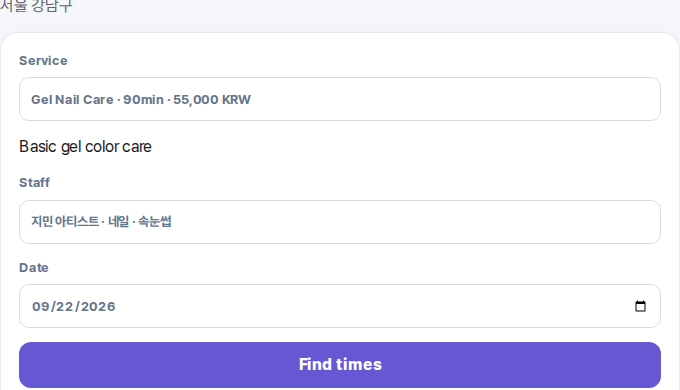
FLOVI Beauty is designed first for small 1–5 person service-based beauty businesses.
Connect service duration and pricing with each provider’s capabilities
Connect staff schedules, days off and booking policies to real availability
Assign beds, rooms, chairs and equipment where a service requires them
Keep treatment history, no-shows, prepaid packages and follow-up work together
Attach intake, digital consent and aftercare when a service requires them
Add and switch locations while keeping each store’s operation separated
* Tattoo and permanent makeup use a specialized consultation, intake and consent workflow rather than a simple menu-booking flow. Screens below show one demo-store example.
Appointment list, messages and customer notes stay separate
Availability → customer history → return visit stay connected
The screens below are one demo-store example. Hair, nail, lash, skincare and waxing services use the same availability model based on service duration and provider capability.
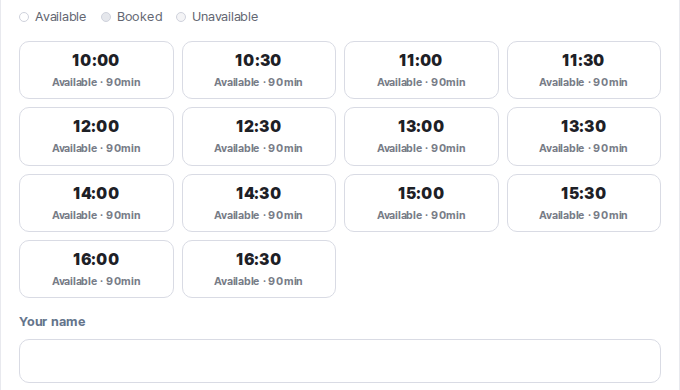
Review today’s bookings using service, provider and real availability.
Use the existing customer record and keep completed visits or no-shows in the same history.
Keep recorded payments and pass usage attached to the customer history.
Use recent visits, passes and payment history to identify follow-up work.
Apply for beta
Review fit with your current workflow
Guide setup and customer-data migration scope
Use the beta and share feedback
Booking deposits and product or service orders are integrated with online checkout. Confirmed payment results continue into existing booking, order and sales records.
Connect a payment to its booking and update its status.
Keep order amounts and payment status connected to floor operations.
Link refund requests and their outcomes to the original transaction.
Payment and refund integration passed a limited real-payment check. General online checkout is currently disabled in beta; eligible stores and availability will be announced separately.
Yes. Customer availability is calculated from provider hours and the selected service duration.
Visits, no-shows, passes and recorded payments remain with the customer record.
CSV import is previewed first so duplicates and errors can be checked before confirmation.
Start with your business type, name and email. Add operational details only if they are useful.